

|
|
| Правила Форума редакция от 22.06.2020 |
|
|||||||
|
|
Окажите посильную поддержку, мы очень надеемся на вас. Реквизиты для переводов ниже.   WMZ: Z021474945171 WME: E159284508897 WMUSDT: T206853643180 WMZ: Z021474945171 WME: E159284508897 WMUSDT: T206853643180 4100117770549562 Спасибо за поддержку! 4100117770549562 Спасибо за поддержку!
|
|
 |
|
|
Опции темы | Опции просмотра |
 Language
|
 31.12.2012, 04:19
|
 #1
#1
|
|
Постоялец
 
Пол: 
Регистрация: 14.06.2012
Сообщений: 407
Репутация: 192
|
 OnOne Perfect Resize Premium Edition
OnOne Perfect Resize Premium Edition 7.5 X-Force  Release Name: OnOne Perfect Resize Premium Edition 7.5 X-Force Operating system: Windows XP / Vista / Win 7/Win 8. Language: English Size: 94,38 MB The next generation of Genuine Fractals technology, Perfect Resize adds new features for achieving sharp detail when enlarging images, new gallery wrap and tiling options, and interface enhancements for photographers who want to make the highest quality prints. Perfect Resize supports Photoshop CS5, CS4 and CS3 and can now be used directly from within Adobe Photoshop Lightroom and Apple Aperture without the need for a separate host application. 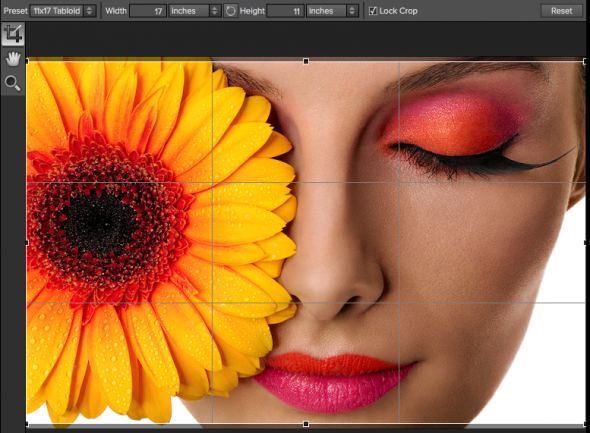 The main sections of Perfect Resize: A. Preset Browser: This panel is located on the left side of the window and is where you view a Library of presets. B. Tool Well: This is where the tools are located. C. Tool Options Bar: This strip above the preview window contains the options for the selected tool. D. Preview Window: This is the main section where you preview and work on images. E. Module Selector: This is where you select other modules to work in. F. Control Panel: This is where you access the Control Panes. New Features in Perfect Resize, the next generation of Genuine Fractals: ● NEW Smoothness Control: Designed for the demanding photographer, the new Smoothness control allows users to adjust the smoothness of curved edges to minimize artifacts. This new feature is very useful when resizing images and is especially valфuable when working with lower resolution source files or when an extreme crop is required from a higher resolution source file. ● NEW Loupe Tool: With the new Loupe feature, photographers can get an instant 1:1 or 100% magnified preview of enlargement quality while still seeing the entire image with the Loupe function of the Navigator. ● NEW Presets: Photographers can now achieve consistent results in less time by saving commonly used settings with the new Presets feature. Photographers who routinely send images to labs will benefit by creating a preset that allows them to resize the image, apply a specific sharpening amount and apply a gallery wrap all in one step. Stock photographers who need to resize batches of images before submitting them will also benefit from this new feature. ● NEW Sharpening Methods: Two new sharpening methods allow photographers to sharpen small details without causing halos on larger, distinct edges. The first sharpening method targets out-of-focus images and the second method adapts the sharpening amount automatically to the size of image details. ● Work Directly with Lightroom: Perfect Resize now integrates dire ctly with Photoshop Lightroom and no longer requires a host application to get amazing results when enlarging an image. Of course, it still works within Adobe Photoshop as well. ● Improved Gallery Wrap: Photographers can now preview the Perfect Resize gallery wrap results in real time, allowing them to quickly fine tune their settings for the perfect gallery wrap. Additionally, gallery wrap corners are automatically filled in with matching image detail from the surrounding area. While it may not sound like much, the improvements to this feature alone will save photographers hours of time when assembling their gallery wraps. ● Improved Tiling: The Tiling feature now automatically saves each tile as new file. This makes it much easier to save and print individual tiles especially when sending these tiles out to a print service provider. Additionally, because each tile is its own file, it is now easy to create canvas diptychs, triptychs or mosaics with the improved gallery wrap feature. ● Batch Processing Enhancements: Easily work with images of mixed size, type and orientation with more batch-processing engine options. Save time by batch processing images from the Export dialog inside of Lightroom. ● Misc Improvements: Additional enhancements include presets for common printer resolutions, improved progress indicators, improved film grain simulation, and the additional document size presets for panoramic and no-crop sizes. System Requirements • Photoshop CS4, CS5, CS6 • Photoshop Elements 9, 10, 11 • Photoshop Lightroom 2, 3, 4 • Apple Aperture 2.1, 3 http://turbo.to http://uploaded.net http://cloudzer.net http://bitshare.com |

|


|
| Сказали спасибо: |
|
|
| Реклама: | Мебельный магазин: тумба под обувь с сиденьем - Переходи на сайт! | глав клуб тюмень афиша - RedKassa.ru | jira интеграция с 1с | core i3 12100 | отчет 4 ос за 2025 год |
|
02.11.2014, 11:40
|
#2
|
|
|
Постоялец
Пол:
Регистрация: 30.03.2011
Сообщений: 214
Репутация: 1439
|
 Re: OnOne Perfect Resize Premium Edition
OnOne Perfect Resize Premium Edition 8.1 X-Force Get the highest quality image enlargements with Perfect Resize, which features Genuine Fractals technology—patented, fractal-based interpolation algorithms—that quickly enlarge your images without the loss of sharpness or detail that you might normally expect. Built-in presets and manual controls make it easy to create high quality enlargements tailored to your specifications, including print size, type of paper, and type of output—including gallery wraps or use in video. Perfect Resize provides everything you need to create the best quality images for display. Create extraordinary images, inspire your creativity, and solve the most common photo problems with Perfect Photo Suite 8a complete photo editor designed to bring your images to life and make them look their best. Work the way you want and perform editing tasks that are too time-consuming in Adobe Photoshop, or impossible to do alone in Lightroom, Photoshop Elements, or Apple Aperture. Youll have all that you need to enhance, retouch and stylize images, replace backgrounds, and create high quality enlargements. Designed for Any Image and Every Photographer Perfect Photo Suite is designed for every photographer, whether you are an avid enthusiast, a working professional, or someone in between. Use it to add subtle to striking enhancements to your images, develop your personal style, boost your productivity in your existing workflow, or immerse yourself in spontaneous creativity. For any moment, for every needPerfect Photo Suite is built for you. Make your images extraordinary with the best effects available today. Customizable filters and hundreds of built-in presets inspire your creativity and give you ultimate control to create effects that make your images look their best. Apply the basic adjustments that almost every image needs to go from good to great. Youll find tools to improve color, tone, and detail, and brushes for spot healing, cloning, and removing objects with content-aware fill technology. Focus on the art of portrait creation because the most time consuming retouching tasks are automated in the Portrait module. Improve skin texture and color, remove blemishes, and enhance eyes and mouths to create flawless portraits. The Resize module gives you everything you need to prepare your images for print. Powered by Genuine Fractals technology, youll maintain total clarity and sharpness of your image for your enlargementseven for snapshots taken with a mobile device. Develop stunning images that recreate the timeless look of black and white master photographers. Use a library of expertly-crafted presets for instant results or powerful, darkroom-inspired controls for you own custom look. Quickly get to your images wherever theyre storedwhether theyre on your computer, network, or on a cloud-based storage service. Find the exact image you want by previewing them side-by-side and navigating through them with intuitive keyboard shortcuts. Combine and blend images without Adobe Photoshop. With layers, you have the power to swap faces, create balanced exposures, retouch portraits and landscapes, create layouts and composites, and more! Create high-quality masks with state-of-the-art tools that help you select subjects and isolate backgrounds for removaleven around hair and trees and through glass and veils. Recommended System Requirements ShiChuang 7, ShiChuang 8 (current maintenance releases, 64 bit) Processor: Quad-core Intel Core i5, Xeon or better processors(s) RAM: 8+ GB Hard Drive: 1.5 GB for installation, Fast 7200 RPM or SSD drive Display: OpenGL 4.0 compatible video card with 1GB dedicated video RAM, 1920Ч1080 resolution Optional Application Integration: - Adobe Photoshop CS6, CC - Adobe Photoshop Elements 10, 11, 12 - Adobe Lightroom 5 - Apple Aperture 3
Последний раз редактировалось cera11; 03.11.2014 в 23:20.. Причина: Измените положение картинки |
|
|
|
|
|
 Похожие темы
|
||||
| Тема | Автор | Раздел | Ответов | Последнее сообщение |
| OnOne Perfect Mask | valbert41 | Варезник | 1 | 22.01.2013 23:10 |
| UpdateStar Premium Edition | vasili777 | Варезник | 0 | 30.03.2011 15:09 |
| Acoustica Premium Edition | Emplosion | Варезник | 3 | 15.02.2011 16:25 |
| UltraISO Premium Edition 9.3.6 x32/x64 Build 2750 Retail | Artzak | Ссылки на программы | 0 | 10.02.2011 08:26 |
|
|


 Линейный вид


